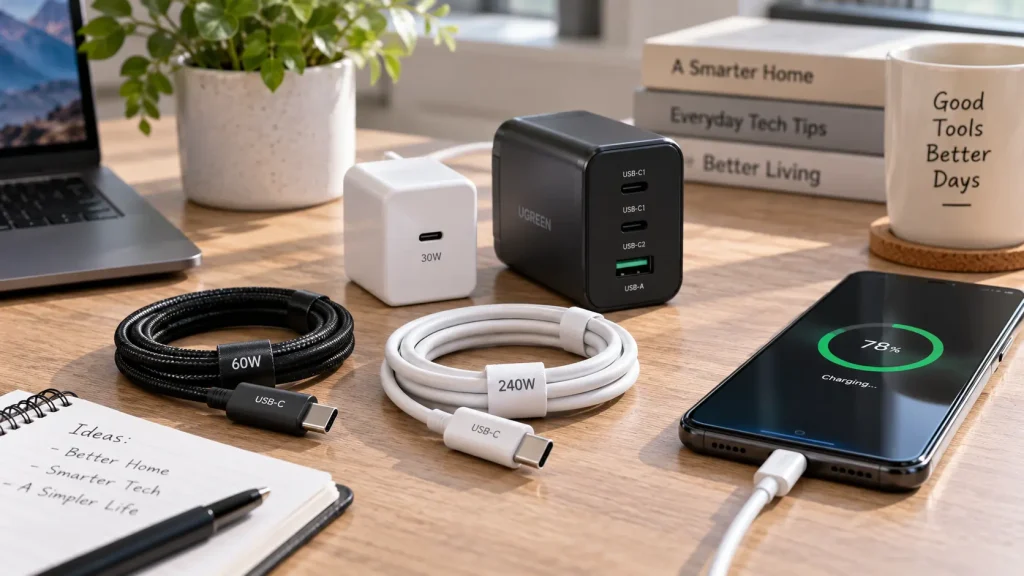
You plug your phone into a charger with one USB-C cable, and it charges quickly. Swap in another cable that looks almost identical, and the estimated charging time gets noticeably longer.
It is tempting to blame the second cable immediately. Sometimes that is the problem—but the cable is only one part of the charging setup.
Charging speed depends on the device, power adapter, cable and charging conditions working together. Google’s Pixel charging guidance, for example, specifically notes that different cables and adapters can change charging speed.
Understanding those differences makes it easier to work out what needs replacing—and what does not.
The Same USB-C Plug Does Not Guarantee the Same Performance
USB-C identifies a connector system, not one fixed charging speed. Products using it can support different power capabilities.
One important standard is USB Power Delivery, usually shortened to USB PD. It allows compatible equipment to negotiate power rather than treating every connected device identically. Some USB PD configurations support up to 240W, but that does not mean every USB-C charger, cable or device supports that amount.
You may also see PPS, meaning Programmable Power Supply. This charging feature allows compatible equipment to adjust the supplied voltage during charging. Samsung uses USB PD with PPS in supported Super Fast Charging equipment.
The practical distinction is simple: a plug that fits does not tell you whether the equipment supports your phone’s fastest charging mode.
A 65W Charger Does Not Charge Every Phone at 65W
The wattage printed on a charger describes its capability under specified conditions. It is not a promise that every device will receive that power.
In a compatible USB PD connection, the device requests an appropriate power level. A phone designed to accept less power does not become a higher-power device simply because you connect a larger charger.
Consider an illustrative setup: a phone supports a maximum of 25W, and both the charger and cable support its required charging mode. Replacing the charger with a 100W model does not raise the phone’s limit to 100W.
There is another detail worth checking: the charger’s output profiles.
For example, an output marked 20V × 3.25A equals 65W. An output marked 9V × 3A equals 27W. Those are different operating points, not numbers to add together. A device that cannot use the higher-power profile will not receive the headline wattage merely because it appears on the box.
Before replacing a charger, check the phone manufacturer’s requirements for both power and charging compatibility—not just the largest number.
Cable Ratings Matter, but Watts Are Not the Whole Story
USB-C cables can have different power ratings. USB-IF’s current certification requirements use 60W or 240W power markings for USB-C-to-USB-C cables entering its compliance program.
These ratings describe what the cable supports. They do not force a device to charge at that power.
The current rating can matter too. USB-IF gives an example of a 60W cable supporting 20V at 3A. That does not mean the same cable supports 5A at a lower voltage.
This distinction explains why “60W should be enough for a 45W phone” is not always a safe assumption. Samsung specifies a 5A cable for certain 45W charging setups, so the requirements for the exact device and charging mode matter.
You may also encounter cables labeled 100W. That rating comes from an earlier USB PD configuration supporting 20V at 5A; it is not automatically suspicious because newer certification markings differ. USB-IF
A higher-rated cable can remove a cable limitation. It cannot remove the phone’s own charging limit.
Fast Charging and Fast File Transfers Are Separate Features
A cable can support substantial charging power without supporting particularly fast data transfers.
Apple’s 240W USB-C Charge Cable is a clear example: its specifications list charging support up to 240W, while data transfers operate at USB 2 rates.
That is not a contradiction. Charging capability and data speed describe different functions.
When comparing cables, read those specifications separately. A cable suitable for charging a laptop may not be the cable you would choose for moving large video files to an external drive.
Equally, paying extra for high data-transfer speeds will not increase charging speed when your existing cable already meets the device’s power requirements.
The Port You Use Can Change the Result
Multiport chargers introduce another variable: power sharing.
Apple’s 35W Dual USB-C Port Power Adapter, for example, shares its available power between connected devices. Apple specifies up to 17.5W per device when an iPhone and iPad are connected together. That is not 35W available independently from both ports at once.
Other chargers have their own allocation rules, so check the manufacturer’s power-distribution information.
For a useful test, disconnect the other devices and use the charger’s recommended port for your phone. If charging improves, the original cable may have been fine.
Charging through a hub, computer or car can also produce a different result from a dedicated wall charger. Apple notes that these connections may provide less power, depending on the equipment and other connected devices.
The Battery Does Not Charge at One Speed All the Way to 100%
A charger can be working correctly even when the final part of a charge feels slow.
Charging systems reduce power as the battery approaches full charge. Apple describes its batteries as charging more quickly during the earlier stage and slowing later to support battery longevity. Apple
That makes this an unfair cable comparison:
Cable A charged the phone quickly from 20% to 40%, but Cable B was slow from 85% to 100%.
You changed both the cable and the battery’s starting condition.
Temperature and usage matter as well. Apple notes that demanding apps can reduce charging speed and that charging may pause in extreme temperature conditions. A phone running a game or sitting in direct sunlight is not a good comparison with the same phone resting indoors with its screen off.
Some devices also intentionally delay charging or stop at a configured limit. Check the battery settings before interpreting an 80% pause as a defective cable.
Can You Use a Laptop Charger for a Phone?
Often, yes—provided the charger, cable and phone support a compatible charging standard and meet applicable safety requirements.
Apple explicitly allows compatible Mac USB-C power adapters to charge an iPhone. A charger’s higher maximum wattage alone is not a reason to reject it.
Compatibility still matters. “It fits” is not enough information to establish that an unknown adapter is suitable.
The reverse situation deserves attention too. A small phone charger may not provide the power recommended for a laptop. Apple advises using an adapter that meets at least the recommended minimum wattage for the best Mac charging experience.
One shared charger can be convenient, but choose it around the requirements of the devices you actually use.
How to Find Out What Is Slowing Your Charging
Before buying anything, make one controlled comparison.
Use the same phone, charger, port and outlet. Start each comparison at a similar battery level, let the phone return to a normal temperature, and leave the screen off. Change only the cable.
Compare the battery gain over the same short interval. This is a practical screening method, not a laboratory measurement of peak charging power.
If one cable repeatedly performs worse under similar conditions, inspect its specification and condition. If both behave similarly, move on to the adapter, port and device settings.
Use this table to choose your next check:
| What you notice | What to check next |
|---|---|
| Charging slows when a second device is connected | The charger’s power-sharing rules |
| Charging is slower through a hub or car port | Compare with a compatible wall charger |
| The last part of charging takes longer | Battery level, charge limits and charging management |
| Charging slows while gaming or when the phone is hot | Device usage and temperature |
| A supported-accessory warning appears | Cable and adapter compatibility or damage |
These checks follow the distinctions in Apple’s and Google’s charging guidance; they help narrow the cause rather than prove which component has failed.
Inspect the connections before continuing. Do not keep testing a cable with visible damage, broken insulation or damaged connectors. Apple recommends checking both the cable and adapter and not using damaged accessories.
Check the Device’s Requirements Before Buying a Replacement
Start with your exact phone or laptop model—not a generic search for the “fastest USB-C cable.”
Find the manufacturer’s recommended adapter, supported charging mode and cable requirements. Then compare those with the equipment you already own. Google and Samsung both provide device-specific charging guidance because the adapter and cable combination matters.
You may discover that the cable needs replacing. You may instead find that the charger lacks the right mode, its power is being shared, or the phone is deliberately charging more slowly.
Buy to solve the limitation you have identified, not simply to get a bigger wattage number.